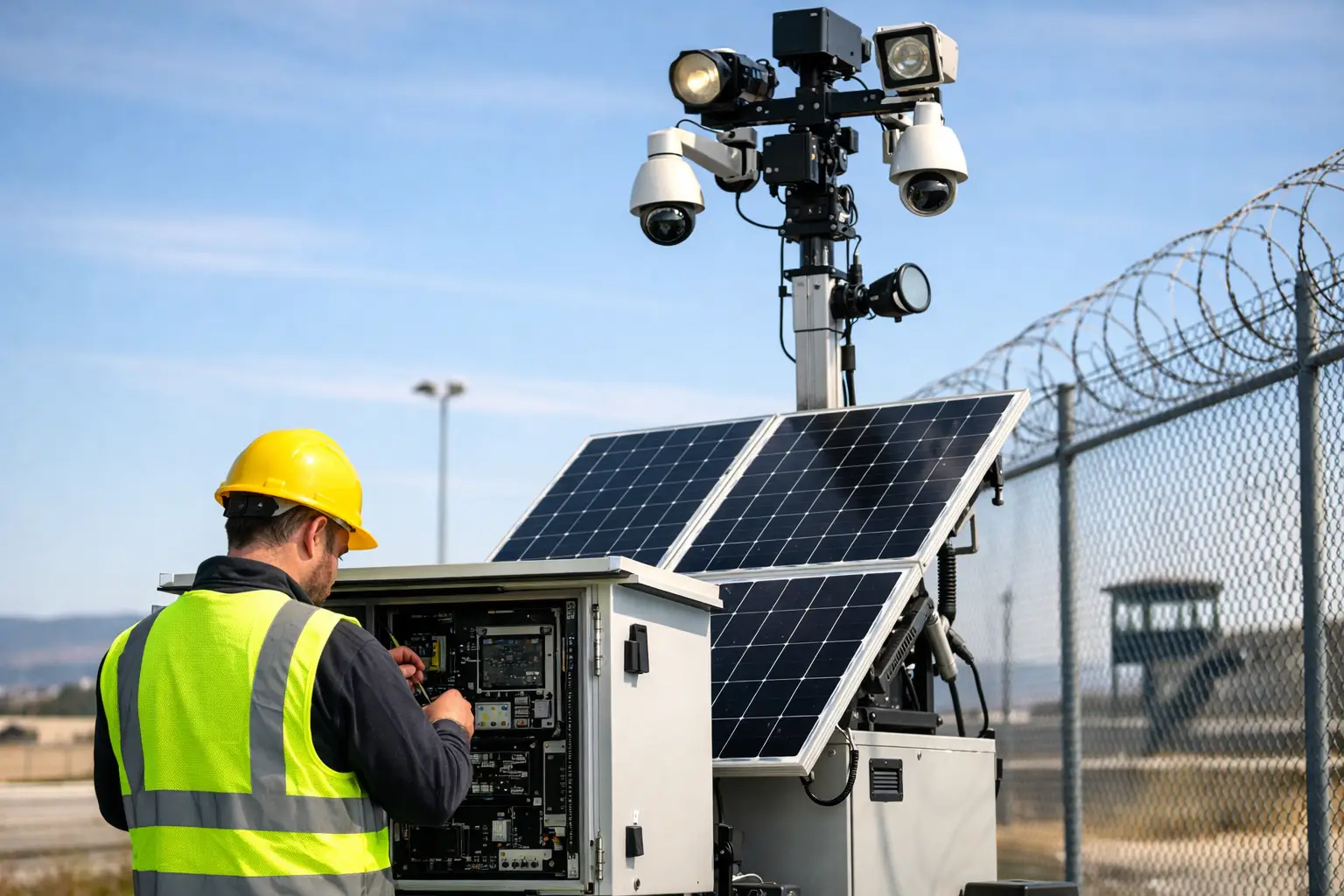
A Guide to Solar Tower Maintenance for Security Sites
A solar security tower is often deployed where the consequences of downtime are immediate: a construction site after hours, a remote compound, a vacant property or an exposed asset yard. A practical guide to solar tower maintenance should therefore focus on one outcome above all others - keeping surveillance, detection and communications available when the site needs them most.
Unlike a fixed CCTV installation, a solar tower operates as a complete field system. Its cameras, batteries, solar panels, communications equipment, lighting and mounting hardware all need to perform in changing weather and site conditions. A dirty panel, weakening battery or shifted camera angle can reduce protection well before the system appears to have failed.
Why solar tower maintenance protects more than equipment
A solar-powered CCTV tower is designed for independent operation, but independent does not mean unattended. It relies on stored solar energy, a clear field of view and a reliable connection to deliver usable footage, alarms or monitored responses. Maintenance keeps these elements aligned.
For site managers, the operational risk is not simply that a camera goes offline. It may be that a camera continues recording but no longer covers a gate after a contractor moves temporary fencing. It may be that batteries run low after several overcast days, causing non-essential functions to shut down. It may be that a damaged antenna creates intermittent connectivity, leaving a gap in live monitoring or alarm verification.
Regular checks identify these issues while they can be corrected with a planned service visit rather than an urgent call-out after an incident. They also protect the investment in a commercial-grade security deployment by extending component life and maintaining evidence quality.
Start with safe access and a documented baseline
Solar towers contain elevated equipment, electrical components and battery systems. Staff should not climb the tower, open electrical enclosures or alter configured settings unless they are trained and authorised to do so. Maintenance involving battery terminals, solar charging equipment, elevated cameras or structural components should be completed by qualified technicians.
At deployment, record a baseline for the tower: camera views, panel orientation, battery status, signal strength, storage health and the placement of fencing, gates and high-value assets. Take reference images from each camera where appropriate. This makes later changes easy to spot and gives a technician a clear standard to restore.
It is also useful to nominate one person on site to report changes. New shipping containers, portable buildings, scaffolding, earthworks and vegetation can all interfere with camera coverage or solar access. A security tower cannot protect what it can no longer see.
Inspect solar generation and battery health
The solar power system deserves attention before the cameras do. If power is compromised, every connected security function is affected.
Solar panels should be checked for dust, mud, bird droppings, leaves, overspray and physical damage. Queensland sites can experience long dry spells that leave a fine layer of dust on panels, while heavy rain does not always remove stubborn grime. Cleaning frequency depends on the location. A tower beside active earthworks or a quarry will need closer attention than one in a relatively clean commercial yard.
Use the cleaning method approved for the equipment. Abrasive materials, harsh chemicals and high-pressure spraying can damage panel surfaces, seals or cable entries. A technician can also confirm that the panels remain securely mounted, correctly angled and free from shading caused by site changes.
Battery capacity should be reviewed through the tower’s monitoring data and during scheduled servicing. Batteries naturally age, and their usable capacity may decline before a complete failure is obvious. Warning signs include a repeated low-voltage alert, reduced operation after cloudy weather, unexpected reboots or equipment shutting down overnight.
A professional service should inspect battery enclosure seals, ventilation, cable condition and charging performance. Do not attempt to bypass low-voltage protections. These settings are there to prevent deep discharge and premature battery damage.
Weather is part of the maintenance schedule
Solar towers in South East Queensland must cope with heat, storms and prolonged wet periods. Before storm season, inspect external cabling, gland seals, fasteners, solar mounts and the tower’s footing or stabilisation arrangement. After severe weather, check for loose hardware, water entry, damaged panels and changed camera alignment.
Heat also affects batteries and electronics. Ensure ventilation paths are not blocked by dust, insects or stored materials, and confirm the enclosure remains properly sealed against water and pests. The correct balance is a secure cabinet with designed airflow, not an enclosure left open for convenience.
Maintain camera performance and usable evidence
A camera that is online is not automatically delivering useful security coverage. Lens cleanliness, focus, infrared performance and viewing angles all affect whether footage can identify a person, vehicle or event.
Inspect camera housings for dust, spider webs, insect activity and lens marks. Cobwebs are particularly disruptive to night vision because infrared light reflects off nearby strands and can create glare across the image. Clean camera lenses with suitable materials and check that housings and sunshields are firmly secured.
Review live images during daylight and after dark. Look for glare from relocated lighting, shadows from newly installed structures, blocked views, overgrown vegetation and vehicles parked in key sightlines. If the tower monitors an entry point, confirm that vehicle access, pedestrian approaches and number plates are covered for the intended purpose.
Night-time testing matters because a view that appears excellent during the day can be ineffective after dark. Check infrared illumination, white-light deterrent functions where fitted, motion detection zones and image clarity at expected entry routes. Any change to camera positioning should be carefully assessed so one improved view does not create a blind spot elsewhere.
Check connectivity, recording and alarm events
A mobile security tower needs a stable communications path to support remote access, event notifications and optional 24-hour monitoring. Signal quality can change due to carrier conditions, obstructions, antenna movement or damage to communications hardware.
Test remote camera access and confirm that live video loads as expected. Review recording status, available storage and time settings. Incorrect timestamps make incident review harder and can weaken the usefulness of evidence. If the system uses motion detection or analytics, test an expected event and confirm the correct alert is generated, received and recorded.
For monitored towers, the test should include the full response path. An alert that is created but not transmitted, received or actioned does not provide the protection the site expects. Site contacts, escalation instructions and access details should also be kept current, especially after staff or contractor changes.
A practical inspection routine for site managers
The ideal schedule depends on the tower’s location, risk profile, weather exposure and level of site activity. High-risk construction sites and remote asset locations often benefit from more frequent visual checks than stable, low-traffic premises.
A simple routine can include the following:
Weekly visual checks for panel dirt, physical damage, camera obstructions, tower stability and changes to the surrounding site.
Monthly reviews of camera views, night performance, alerts, recording status and visible cable condition.
Seasonal inspections before wet weather or storm periods, with a follow-up after significant weather events.
Scheduled technician servicing to assess electrical components, battery health, solar charging, mounts, communications and system configuration.
Keep a service record that notes dates, faults, corrective work, battery readings and any site changes. This supports accountability across project managers, security providers and subcontractors. It also helps reveal repeat issues, such as an area that regularly shades the panels or a gate camera that is frequently knocked out of alignment.
When maintenance should become an upgrade discussion
Not every issue is a maintenance issue. If a site has expanded, its risk profile has changed or theft has become more organised, the existing tower configuration may no longer suit the job. Additional cameras, a different tower position, stronger communications, revised analytics or monitored response may be the better solution.
The same applies where a tower repeatedly experiences low solar input. Cleaning panels and checking batteries are essential, but they cannot overcome poor placement or permanent shading. A site assessment can determine whether relocation, revised panel orientation or a different power configuration is required.
Pegasus Data Systems can support solar security tower deployments with professional installation, tailored configuration and ongoing monitoring options, helping site managers maintain a protection plan that matches real conditions rather than assumptions.
A well-maintained solar tower should fade into the background of site operations while continuing to deter intrusion, capture clear evidence and report events when needed. The best time to arrange a check is before the next weather event, site layout change or after-hours incident exposes a problem that routine maintenance could have prevented.


Comments