
Cloud CCTV Platform Review for Smarter Security
- pegasusdatasystems
- Jun 4
- 6 min read
If you are comparing surveillance systems for a home, business, retail shop or temporary worksite, a proper cloud CCTV platform review can save you from an expensive mistake. The camera itself only tells part of the story. What usually shapes day-to-day performance is the platform behind it - how footage is stored, how quickly events are found, who can access it, and whether the system still works the way you need when your site changes.
For many buyers, cloud sounds simpler on paper than it feels in practice. Monthly fees, internet reliance, app quality, alert accuracy and user permissions all matter. The right platform can make remote oversight easier and improve response times. The wrong one can create blind spots, admin headaches and ongoing costs that were not obvious at quote stage.
What a cloud CCTV platform review should actually assess
A useful cloud CCTV platform review should go well beyond image quality. Clear footage matters, but platform performance is where security outcomes are often won or lost. If a manager cannot quickly pull footage after an incident, if alarms generate constant false alerts, or if user access is poorly controlled, the system becomes harder to trust.
The first question is how the platform handles footage. Some systems record continuously to the cloud, while others rely mainly on event clips. Continuous cloud recording can suit higher-risk environments, but it usually comes with larger data use and higher subscription costs. Event-based recording can reduce bandwidth and cost, though it depends heavily on accurate motion detection and correct camera placement.
The next issue is retrieval. Reviewing footage should be fast and straightforward. Timeline search, event filtering and camera grouping can make a major difference, especially for multi-camera sites. On a busy retail or commercial premises, a few minutes saved finding a key incident can be the difference between prompt action and a frustrating delay.
Cloud CCTV platform review: where cloud works best
Cloud platforms are particularly useful where remote visibility matters. If you oversee multiple tenancies, manage a retail chain, travel between sites, or need after-hours visibility from your mobile, cloud access can be a strong fit. It allows authorised users to check live feeds, verify alarms and review incidents without being physically on site.
This is also valuable for temporary or exposed locations. Construction areas, civil projects, car parks, laydown yards and vacant properties often need security without extensive fixed infrastructure. In these cases, a cloud-connected solution paired with a rapidly deployable surveillance setup can offer practical coverage with less delay.
That said, cloud is not automatically the best answer for every site. In areas with weak connectivity, heavy data restrictions or strict retention requirements, a local recorder or hybrid setup may be the better choice. The right answer depends on how the site operates, what risks are present, and how quickly footage needs to be accessed.
The trade-off between convenience and control
Cloud CCTV is often chosen for convenience, and rightly so. Software updates, remote access and off-site footage storage can reduce some of the maintenance burden that comes with older standalone systems. If a recorder on site is stolen or damaged, cloud-stored footage may still be available.
But convenience has a trade-off. You are relying more heavily on internet performance, vendor infrastructure and subscription terms. If your upload speed is poor, live viewing may lag and high-resolution recording may be limited. If pricing changes over time, your operating costs can rise well after installation.
This is why a platform review should include the supplier model as well as the software itself. A system that looks cost-effective in year one may be less attractive over three to five years if licensing scales badly across cameras, sites or users.
Key platform features worth paying for
Not every premium feature is worth the spend, but a few are genuinely useful. Smart alerts are near the top of the list. Basic motion alerts tend to create too much noise, especially outdoors where wind, shadows and wildlife can trigger recordings. Better platforms use analytics to distinguish between people, vehicles and general movement, which makes notifications more relevant.
User management is another feature that matters more than many buyers expect. A homeowner may only need a simple login for family members, but a commercial site often needs tiered access. Managers, contractors, security staff and admin teams should not all have the same permissions. Good platforms let you control who can view live video, export footage, adjust settings or receive alerts.
Health monitoring is also worth close attention. Cameras go offline. Connections drop. Storage thresholds get hit. A platform that flags faults promptly can reduce downtime and help protect evidence continuity. This becomes more important on high-risk or unattended sites, where issues may otherwise go unnoticed until after an incident.
Cloud CCTV platform review: costs that catch people out
The biggest misunderstanding in any cloud CCTV platform review is usually cost. Buyers often compare installation pricing without fully accounting for ongoing charges. Cloud systems may involve monthly or annual fees for storage, advanced analytics, extra users, longer retention periods or premium support.
None of that is necessarily a problem if the platform delivers value. The issue is when pricing is unclear at the start. A low upfront figure can look appealing, then become less competitive once camera counts increase or retention requirements change.
Bandwidth is another hidden factor. Higher resolution cameras generate more data, and multi-site viewing adds more demand again. For some properties this is manageable. For others, especially regional or temporary sites, connectivity may need to be upgraded as part of the project. That affects both performance and total cost of ownership.
Mobile apps, operator usability and response time
A cloud platform can have strong specifications and still be frustrating in daily use. The app and browser interface need to be practical for real people under time pressure. When an owner receives an after-hours alert, they should be able to log in quickly, identify the event, and decide what to do next without wrestling with poor menus or slow playback.
This matters even more where multiple stakeholders use the same system. A facility manager may want reporting and audit trails. A supervisor may only need live site checks. A monitoring team may need fast event verification. Good platforms support these different use cases without becoming cluttered or overly technical.
In our experience, usability is often underestimated during procurement. Buyers focus on camera specs, then live with the software every day. That is why demonstrations and realistic site-based testing are worth the time.
Security, compliance and data handling
If you are moving surveillance data into the cloud, you should ask where that data sits, how it is encrypted, and how access is controlled. For some domestic users, that may be enough. For commercial operators, schools, facilities and public-facing environments, data handling becomes more serious.
Audit logs, multi-factor authentication and clear retention controls are not just technical extras. They support accountability. If footage is shared externally, used in an investigation or reviewed by multiple staff members, you need confidence that access records exist and permissions are properly managed.
There is also a practical side to compliance. Policies can say one thing, but the platform still needs to be easy to administer. If retention settings are buried, or exports are difficult to track, the system creates unnecessary risk for the operator.
Choosing the right fit for homes, businesses and mobile sites
For homes and small businesses, the best cloud platform is usually the one that keeps operation simple while still delivering reliable alerts, clear playback and sensible access control. It should make the property easier to watch, not harder to manage.
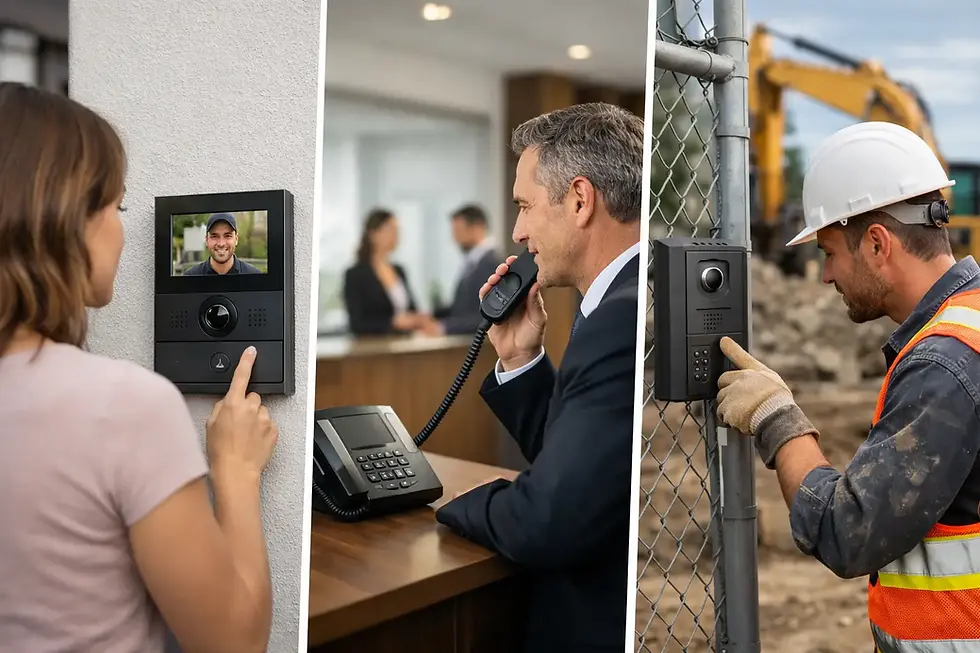
For larger commercial sites, integration matters more. CCTV may need to work alongside alarms, access control, intercoms or monitoring workflows. In these environments, a platform should support broader site protection rather than operating in isolation.
For temporary and exposed locations, the conversation shifts again. Rapid deployment, remote access, power independence and dependable connectivity become critical. This is where a tailored solution matters. Pegasus Data Systems, for example, works with clients who need commercial-grade surveillance on changing sites, including solar-powered tower deployments where speed and flexibility are just as important as image quality.
A cloud CCTV platform should suit the way your site actually runs, not just look good in a product brochure. The best choice is usually the one that balances footage access, operational control, realistic costs and dependable support from day one. Before you commit, ask how the platform will perform on your site at 2 am, during a connectivity issue, or six months after the installation when your needs have changed. That is where the real test begins.


Comments