
Guide to Alarm Response Procedures for Sites
An alarm at 2.15 am is not the time to decide who has a key, whether CCTV can be checked remotely, or when police should be called. A practical guide to alarm response procedures gives staff, managers and monitoring operators clear authority to act without exposing anyone to unnecessary risk. It also turns an alarm system from a noise-making device into a coordinated protection measure for your people, property and operations.
The right procedure will vary between a family home, retail shop, warehouse, construction site and remote solar CCTV tower. The principle is consistent: verify what can be verified safely, escalate according to the risk, document the incident, and restore protection before normal operations resume.
Start with the alarm events your site can produce
Not every signal needs the same response. Treating every activation as an emergency can create alarm fatigue, while treating every activation as a false alarm leaves assets exposed. Your response plan should identify each alarm type, where it comes from and the level of action it requires.
A typical commercial site may have perimeter sensors, internal motion detectors, door contacts, duress buttons, smoke detection interfaces, power-failure alerts and tamper alarms. A mobile camera tower may also report battery condition, loss of communications, movement or cabinet tampering. Each event needs a defined priority.
Fire and duress alarms require immediate escalation under the relevant emergency plan. For intrusion alarms, the priority often depends on the time of day, whether the site is occupied, the area affected and whether video or access-control data indicates genuine unauthorised entry. A single rear-door alarm during business hours may be handled differently from simultaneous perimeter and internal alarms after hours.
Build a guide to alarm response procedures around people first
No staff member should be expected to confront an intruder, investigate a dark site alone or enter a potentially unsafe building. The procedure must make this explicit. Property can be replaced. People cannot.
For an occupied site, the first action is usually to move people away from the affected area, secure safe exits where appropriate and notify the nominated manager or security contact. If there is an immediate threat, suspected break-in in progress, fire, medical emergency or duress event, call Triple Zero (000). Do not wait for remote verification where there is a credible risk to a person.
For an unoccupied site, a keyholder, patrol provider or monitoring centre should assess the signal using the tools available to them. This may include checking live CCTV, reviewing recent footage, checking which access card was used, calling approved contacts, or arranging a security patrol. Remote verification helps reduce unnecessary call-outs, but it should never delay an emergency response where the evidence points to active danger.
The procedure should identify the authorised people who can make decisions. Include a primary and secondary contact, plus an after-hours backup. Names alone are not enough. Record their mobile numbers, access permissions, key or fob arrangements and any conditions such as whether they must attend with a guard after hours.
Set clear escalation levels
A simple escalation model makes response decisions faster and more consistent. It should be agreed before an incident, then configured into monitoring instructions where 24-hour monitoring is used.
A low-priority event might be a momentary communications fault that restores itself, or a known issue caused by approved contractors. Record it, notify the appropriate contact during business hours and arrange service if it repeats.
A medium-priority event could be an unverified perimeter alarm or a door left open after closing. The response may involve remote CCTV review, a call to the keyholder and a patrol attendance if the site cannot be confirmed secure.
A high-priority event includes verified intrusion, repeated alarm zones suggesting forced entry, tampering with security equipment, a duress activation or a fire-related event. These require immediate contact with emergency services when appropriate, followed by the agreed security response and notification chain.
The details matter. For example, a camera showing a person walking around a fenced construction site is different from footage showing a contractor arriving in a marked vehicle during an approved work window. Your procedures should allow for those operational realities without relying on guesswork.
Make verification useful, not a delay
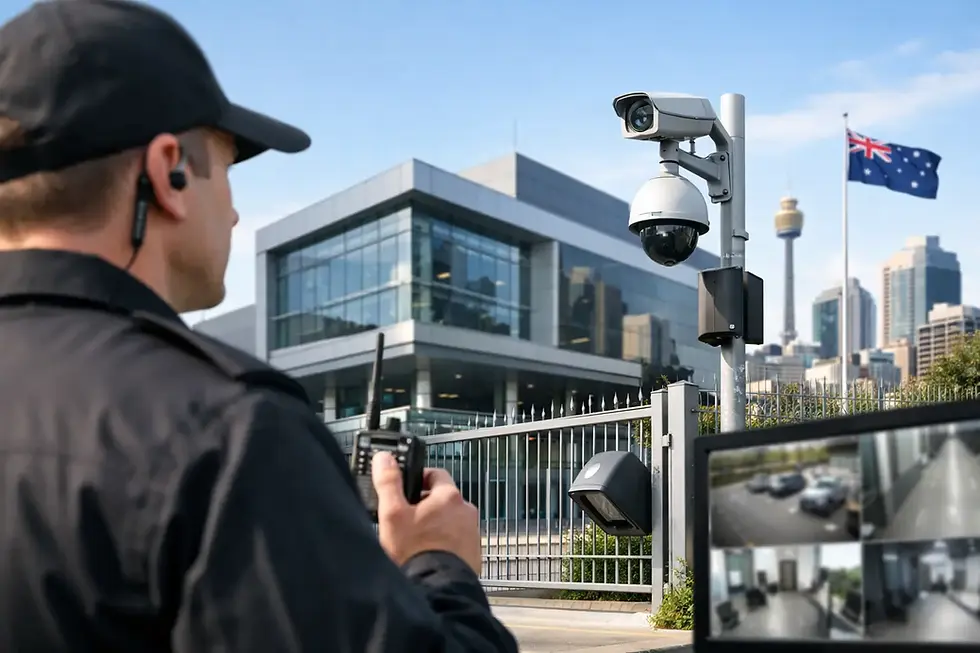
CCTV is often the most valuable tool in alarm response because it provides context. A monitored camera can show whether an alarm was caused by wind-blown material, an animal, an unsecured gate or a person attempting entry. Access-control logs can confirm whether an authorised user entered an area at the same time.
However, camera coverage must be designed for the task. A poorly positioned camera, no illumination, an obstructed view or unreliable mobile connectivity can limit what a monitoring operator can confirm. Test the system after installation and after any site changes, particularly on temporary sites where fencing, storage containers, machinery and stockpiles move regularly.
For high-risk or exposed locations, rapid-deployment solar CCTV towers can provide coverage where fixed power and communications are unavailable. They work best when their field of view, alarm zones, lighting and monitoring rules are tailored to the assets being protected. A tower placed too far from the access point may record an incident without delivering the early warning needed for a timely response.
Write the response actions in the order they happen
A good procedure should fit on a page or be quickly accessible from a secure digital record. It needs plain language, current contacts and an order that is easy to follow under pressure. For most intrusion events, the sequence is:
1. Receive the alarm signal and identify the site, zone, time and alarm type.
2. Check available CCTV, access-control data and site notes without putting anyone at risk.
3. Apply the correct escalation level, including emergency services or patrol attendance where required.
4. Notify approved contacts, record all actions and confirm the site is secure before the alarm is reset.
Add site-specific instructions beneath these actions. A retail store might require the manager to preserve CCTV footage and delay opening until police have attended. A warehouse may need a supervisor to check whether high-value stock, loading bays or vehicle keys were affected. A construction site may require the project manager to account for plant, fuel and temporary fencing before work recommences.
Avoid vague wording such as “investigate if necessary”. State who investigates, under what conditions, whether they need a second person or patrol support, and what they must do if they see signs of forced entry. Clear limits protect staff and reduce confusion.
Reset only after the cause is addressed
Resetting an alarm clears the immediate signal, but it does not fix a damaged door, faulty detector, flat backup battery or compromised communications path. After any genuine incident or unexplained repeated alarm, inspect the affected equipment and the surrounding site before returning the system to normal operation.
If there has been forced entry, preserve the scene. Avoid touching damaged locks, windows or items that may be relevant to police or insurance. Save the relevant CCTV footage in accordance with your retention procedures, note the incident timeline and photograph visible damage when it is safe to do so.
For false alarms, look for patterns rather than simply cancelling the event. Repeated activations from the same detector may indicate poor sensor placement, environmental movement, pests, loose signage, a changing internal layout or a technical fault. Adjusting sensitivity can help in some cases, but reducing sensitivity too far can create a blind spot. A qualified technician should assess recurring issues and ensure the system remains compliant with its intended use.
Test people and systems together
An alarm system should be tested after installation, following upgrades and at scheduled intervals. Testing should cover more than whether the siren sounds. Confirm that alarm signals reach the monitoring centre or nominated contacts, cameras provide usable verification images, backup power operates, access-control records are available and escalation contacts remain current.
Run a short scenario with the people who will actually respond. Ask what happens if the primary keyholder does not answer, if the site has no power, if the internet connection fails, or if an alarm occurs while contractors are onsite. These practical tests usually expose gaps that equipment testing alone will not find.
Review the procedure whenever the site changes. New tenants, altered access arrangements, construction stages, changes to operating hours and new high-value assets can all change the risk profile. For businesses across South East Queensland managing temporary or expanding sites, this review is especially valuable because security requirements can shift quickly as a project progresses.
A professionally installed and monitored system gives you stronger tools to respond, but the procedure is what directs those tools at the critical moment. Pegasus Data Systems can help align alarms, CCTV, access control and monitoring arrangements with the way your site actually operates, so the next signal leads to a controlled response rather than an after-hours scramble.

Comments